Busy lines shouldn’t mean lost opportunities.
Give routine inquiries a helpful first response, including outside office hours when your assistant is configured to run.
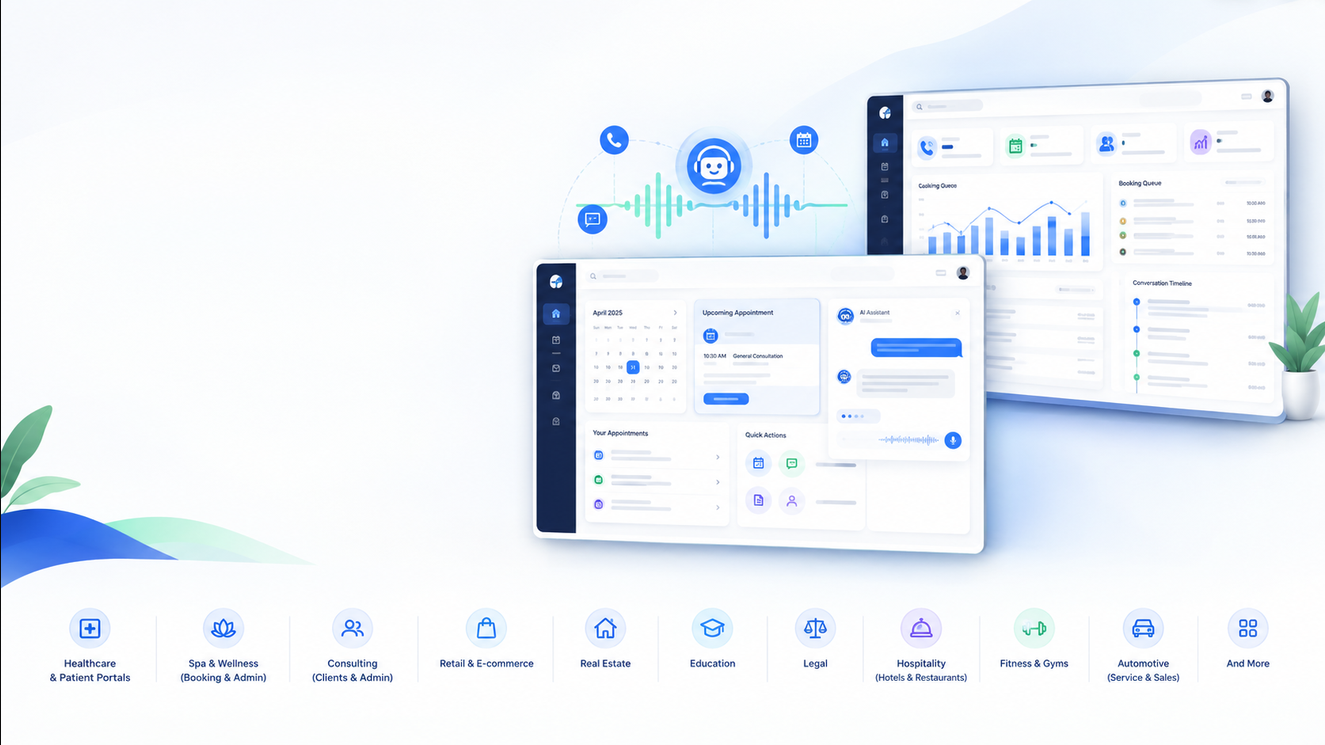
ONE CONNECTED FRONT DESK
One AI receptionist. Two powerful portals. A simpler way to welcome customers, arrange appointments and keep your team in control.
Product concept illustration · Illustrative interfaces
YOUR TEAM HAS BETTER THINGS TO DO
Give routine inquiries a helpful first response, including outside office hours when your assistant is configured to run.
Check connected availability, collect the required details, and give customers a clear next step.
Let your team review conversations, manage exceptions and take over when a request needs personal attention.
ONE EXPERIENCE. TWO PURPOSEFUL PORTALS.
Different views. A clearer handoff.
The AI receptionist connects the conversation
to the work your team needs to do.
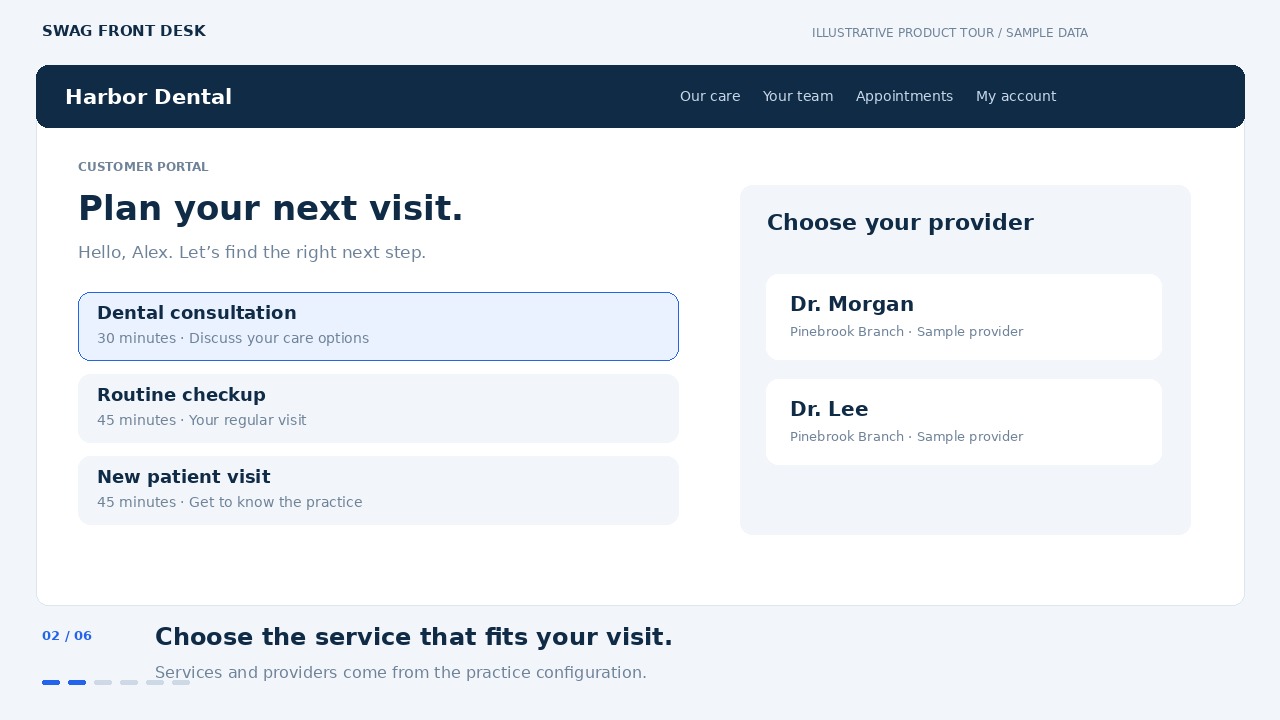
Let people explore services, choose a provider and manage their appointments through a welcoming experience tailored to the business.
Give your team a dedicated workspace to manage appointments, customer records, business information and connected services.
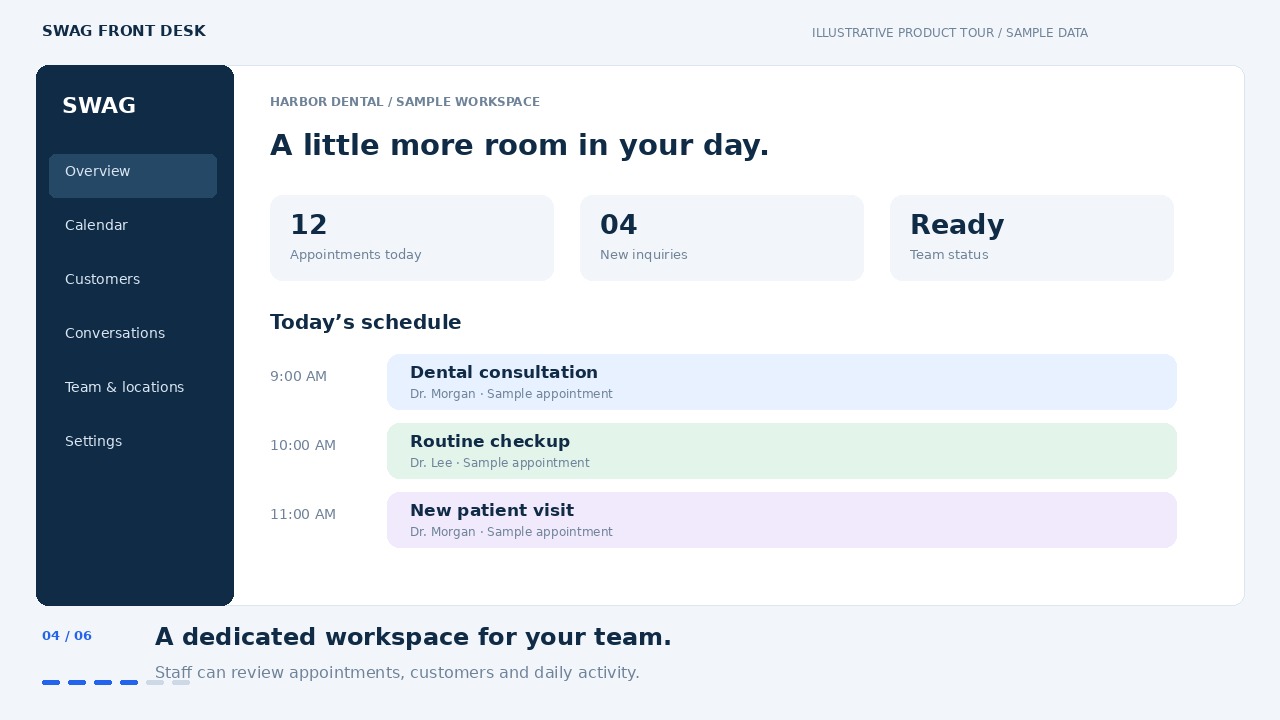
Product illustrations with fictional sample data. Available screens and workflows vary by industry package.
TAKE A CLOSER LOOK
Follow a sample customer from service selection to appointment review, then see the staff view of the same journey.
48-second illustrative tour · On-screen captions · No audio
Customer portal → Admin workspace CONCEPT WALKTHROUGH
A CONNECTED WORKFLOW
A customer calls or chats. Your assistant responds using approved business information.
Identify the service, branch and provider, then check the connected schedule.
Collect and verify required details. Confirm only after a booking is successfully saved.
Your team reviews activity, follows up and handles the requests that need a person.
BUILT AROUND YOUR BUSINESS
Start with Dental, Spa or Consulting.
Explore other industry workflows
with a tailored discovery session.
11 industry groups
Handle service questions, collect registration details, check provider and branch availability, and route sensitive questions to staff.
Dental offices, Orthodontics, Oral surgery, Pediatric dentistry
Help guests explore treatments, choose a provider, request an appointment and manage their next visit.
Day spas, Medical spas, Massage, Hair salons, Barbershops, Nail salons, Lash and brow studios, Skin care, Tattoo studios, Pet grooming
Capture a prospective client’s needs, arrange consultations and keep follow-up visible to your team.
Business consulting, IT services, Marketing agencies, Accounting, Law firms, Financial advisory, Insurance agencies, Recruitment, Architecture, Coaching
Answer approved office questions, capture appointment requests and escalate clinical or urgent matters to a qualified team.
Primary care, Specialty clinics, Dermatology, Optometry, Physical therapy, Chiropractic, Mental health, Pediatrics, Diagnostics, Home healthcare, Veterinary practices
Qualify property inquiries, request viewings and route tenant or maintenance requests.
Real estate agencies, Leasing offices, Property management, Vacation rentals, Property inspection, Homeowner associations, Facilities management
Capture service needs and locations, request estimates and route callbacks. Dispatch and emergency rules are agreed during scoping.
Plumbing, HVAC, Electrical, Roofing, Cleaning, Landscaping, Pest control, Remodeling, Locksmiths, Moving, Pool maintenance, Solar installation
Answer guest FAQs, capture event requirements and route reservation requests to the right team.
Hotels, Resorts, Restaurants, Catering, Event venues, Wedding planning, Travel agencies, Equipment rental, Country clubs
Help people explore schedules, request trial sessions and connect with an instructor. Class capacity and membership systems require scoping.
Gyms, Yoga, Pilates, Personal training, Dance, Martial arts, Swimming, Nutrition coaching, Sports academies
Capture admissions inquiries, request tours and route parent questions with agreed privacy and access controls.
Schools, Childcare, Tutoring, Test preparation, Music schools, Art studios, Language training, Vocational education
Collect vehicle and service details, request appointments and direct status questions to your staff.
Auto repair, Dealerships, Vehicle inspections, Detailing, Body shops, Towing, Courier services, Fleet operations
Answer approved product questions, capture sales leads, book demonstrations and route support requests.
SaaS, IT support, Cybersecurity, E-commerce, Retail, Photography, Printing, Nonprofits, Funeral services, Self-storage, Manufacturing, Wholesale
“Tailored workflow” means discovery and implementation are required. Industry-specific integrations, compliance obligations and operational suitability are confirmed during scoping.
THE TOOLS BEHIND THE WELCOME
Help customers ask questions and request appointments through configured calling and website channels.
Check availability against service duration, existing bookings, practice hours and provider assignments.
Keep the details your team needs in the appropriate industry workspace, with access controlled by role.
Use configured email and messaging services for supported confirmations and follow-up workflows.
Review supported call activity and conversations. Recording requires configuration and appropriate consent.
Manage business knowledge, services, locations and connections. Escalate requests that need human judgment.
WORK WITH YOUR WORKFLOW
Configure the services you need. We’ll review provider access, credentials and supported workflows during onboarding.
Talk through your integrations ↗Separate provider accounts, configuration and usage charges may apply. A listed connection is not a claim of partnership or certification.
AUTOMATION WITH ACCOUNTABILITY
Your business sets the rules.
Your staff manages exceptions.
Your customers can ask for a person.
Use role-based staff access. Keep customer and operational records within each separately deployed business app.
Use approved answers, define escalation paths and obtain any required recording consent. The assistant is not a substitute for professional advice.
Review credentials, policies and retention settings. Test booking, cancellation and human handoff before going live.
No compliance certification is claimed here. Healthcare, legal and financial workflows require review for your jurisdiction and deployment.
A PLAN THAT FITS THE WAY YOU WORK
A quote shaped around your business.
Setup, ongoing support and third-party usage,
clearly separated.
VALIDATE THE FIT
Explore one clear workflow before a wider rollout.
Let’s scope it.Discuss your requirements ↗BRING THE EXPERIENCE TOGETHER
Connect customer conversations with your team’s daily work.
Let’s scope it.Book a tailored demo ↗FOR MORE COMPLEX OPERATIONS
Plan a deployment around your locations and systems.
Let’s scope it.Discuss your requirements ↗A FEW THINGS YOU MIGHT BE WONDERING
Have a question about your business?
Let’s talk it through.
It connects the first conversation to a customer experience and a staff workspace. The exact portal, booking and follow-up capabilities depend on your industry package and configuration.
Dental, Spa and Consulting have dedicated app packages. Other industries are tailored workflows that need discovery, configuration and testing before launch.
Supported booking workflows check connected availability, collect required details and confirm only after the appointment is successfully saved. Provider calendars, branch assignments and verification channels must be configured.
Yes. Agree on human handoff, callback and urgent-request rules during onboarding. The available transfer method depends on your configured calling channel.
No. The video on this site is an illustrative product walkthrough with fictional data. Ask for a live demonstration of the current screens and workflows.
Request a scoped quote. We separate implementation and support from third-party telephony, AI, messaging and email usage. No automatic trial or subscription starts from submitting a demo request.
LESS BACK-AND-FORTH. MORE MOVING FORWARD.
A personal walkthrough. A practical conversation. A clear next step.